
New · Developed by Alliatech
Dashboard. Your restaurant, live on your phone.
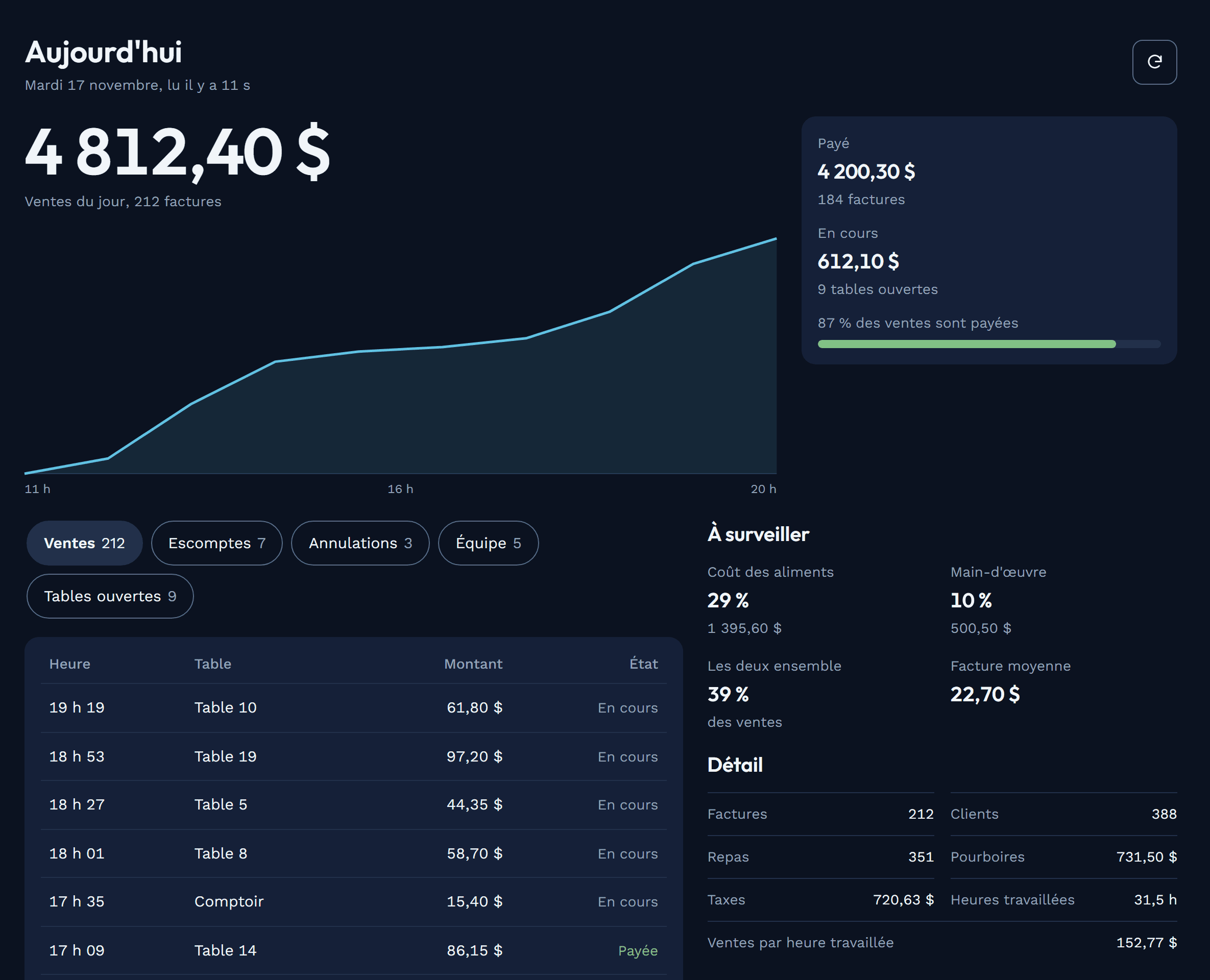
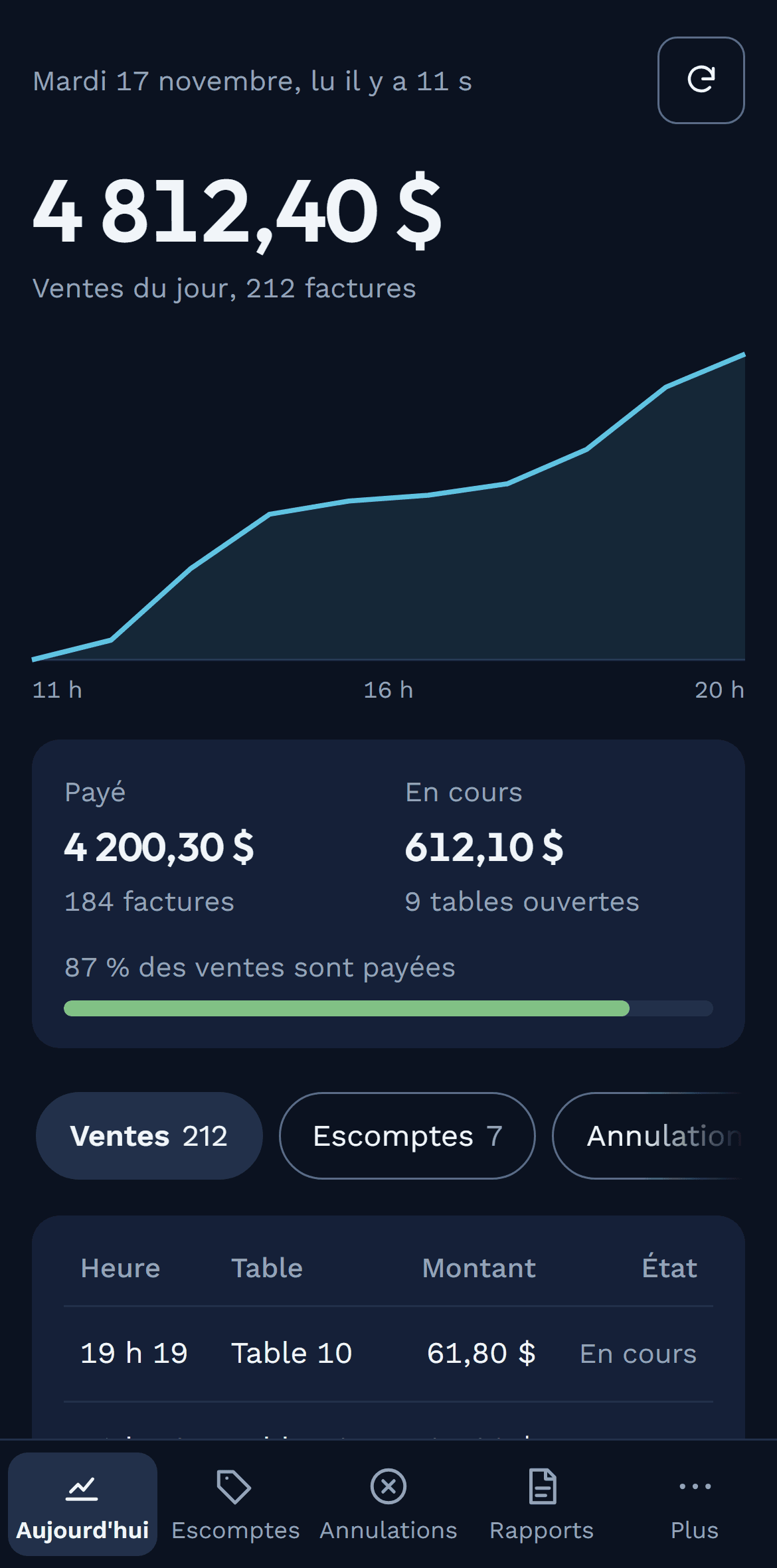
The Alliatech Dashboard works with your Maitre'D POS. It reads your numbers and shows you what matters most today: sales, discounts, voids, staff on shift. On your phone or your computer, even when you're away from the restaurant.
Three questions managers ask
The answers, without calling the restaurant.
Live
How much have we sold?
Today's total, what's been paid and what's still open at the tables, with a chart of the day. The numbers are refreshed every minute during service.
Control
Who gave what away?
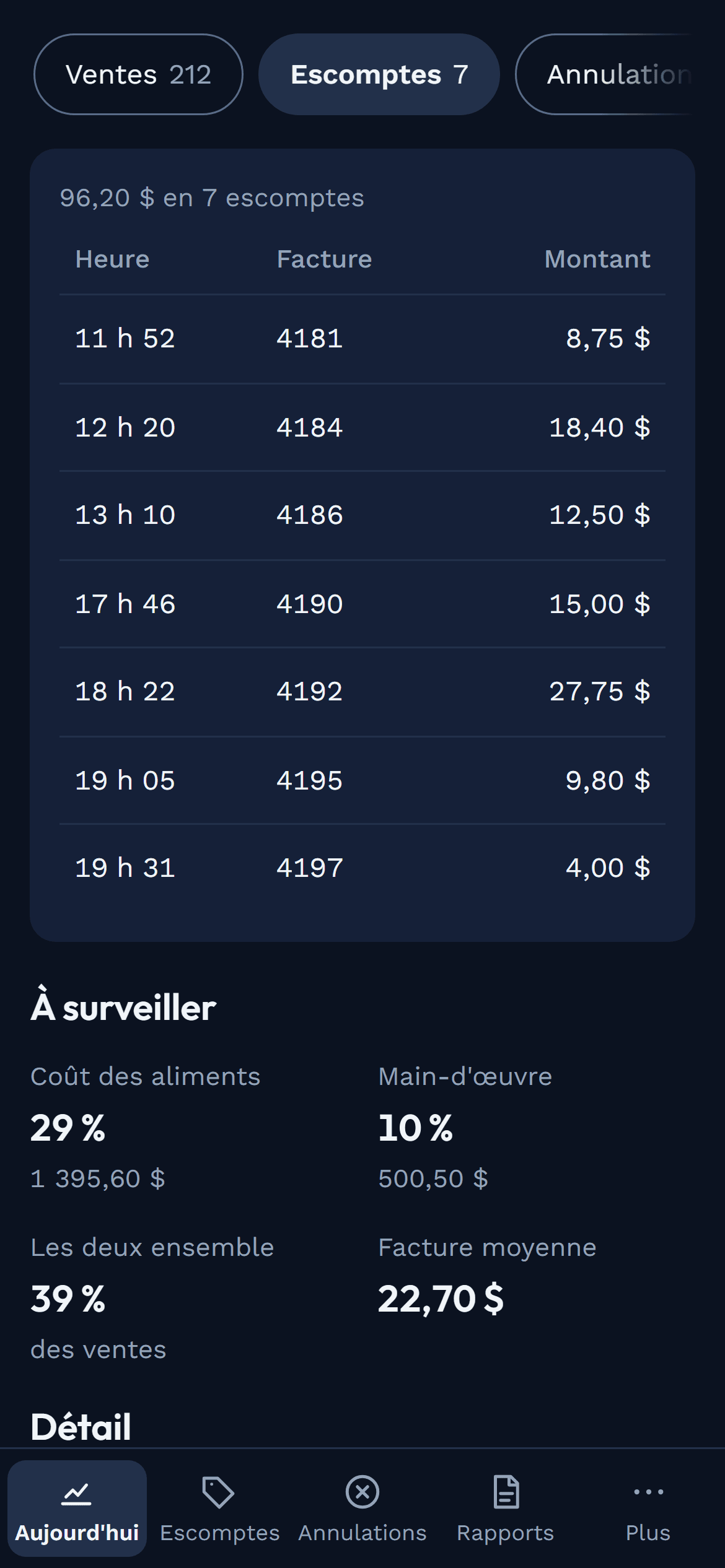
Every discount and every void: the time, the bill, the employee and the amount. The breakdown by employee can be exported to Excel.
Costs
Is it a good day?
Food cost and labour cost as a percentage of sales, if they are entered in your POS. Also: the average bill and sales per labour hour.
Team
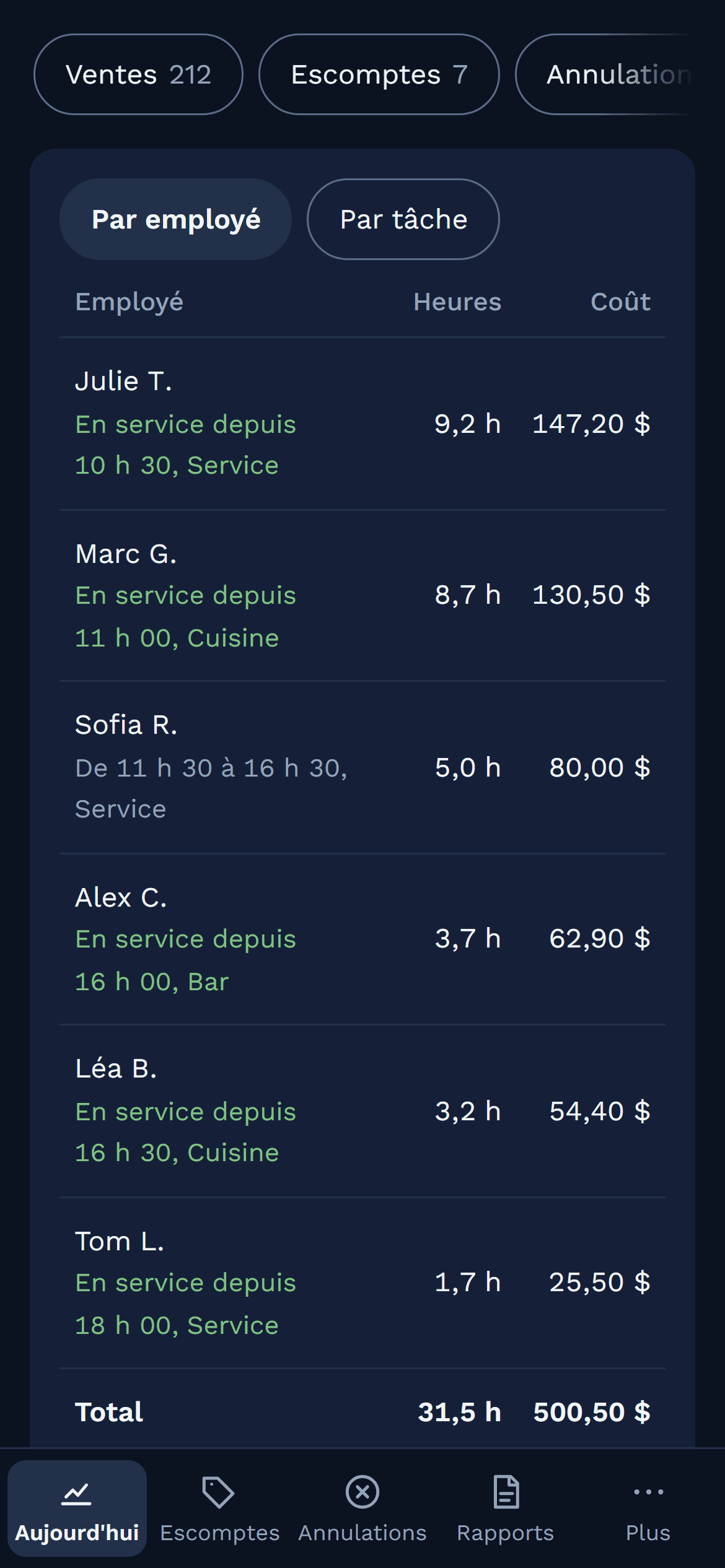
Who's working, since when, and what it costs.
The list of employees on shift, their start time, their hours and their cost. By employee or by role: floor, kitchen, bar.
Labour cost is compared with sales as they come in. You decide sooner whether to bring someone in or send someone home. Costs are shown if they are entered in your POS.
Reports
Your POS reports, without going to the office.
Choose from 179 reports and the period you need: you get the file in PDF or Excel. You can also schedule them to be sent by email.
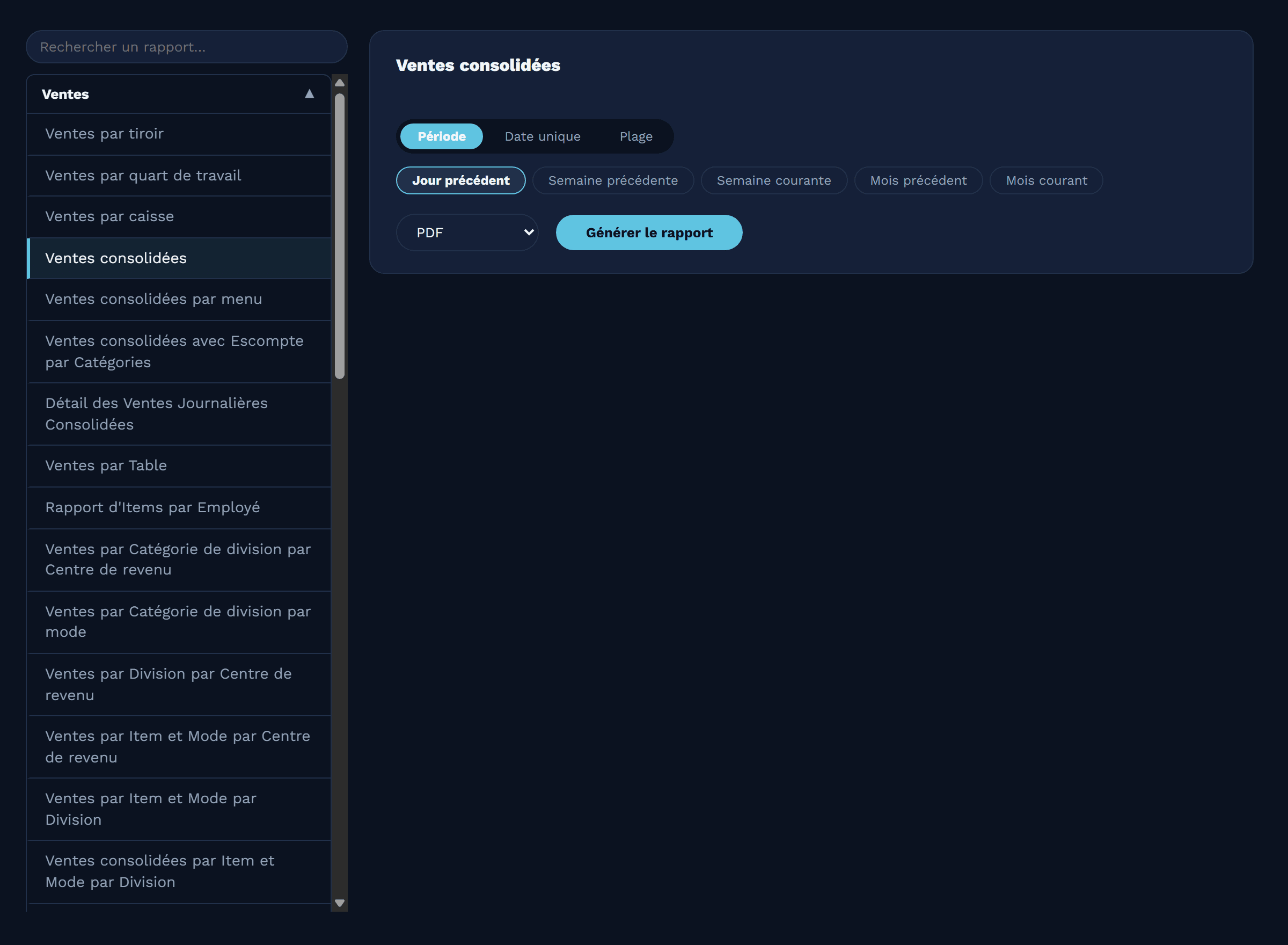
179 reports
Sales, discounts, labour, items, taxes, payments.
PDF or Excel
Open the file on your phone or send it to your accountant.
Scheduled delivery
Every day, Monday to Friday, every week or every month.
All in one place
What you can check every day.
Live sales
Total, paid, in progress and open tables, refreshed every minute.
Discounts and voids
By hour, bill, employee and reason, exportable to Excel.
Sales by category
What sells best, by day or over the period of your choice.
Staff on shift
Who's in, since when, and the labour cost.
179 POS reports
Requested remotely, delivered in PDF or Excel.
Email delivery
The reports of your choice, every day, Monday to Friday, every week or every month.
Day-close alert
An alert lets you know if the day hasn't been closed on the POS.
Multiple restaurants
One login for all your locations, together or one at a time.
Optional modules
- Uber Eats, DoorDash and UEAT sales. Platform orders by location, and the ones that were declined.
- Cash safe. Safe deposits and withdrawals by manager, with statements in PDF and Excel.
- POS screensavers. Your promotions displayed on idle POS terminals, changed remotely.
Setup
Installed by Alliatech, on your current POS.
We install a small piece of software on your Maitre'D POS computer. Your staff use the POS just as before.
You receive your web address and password. The Dashboard displays your logo and colours.
You open it on your phone and add it to your home screen, just like an app.
Frequently asked questions
Do I need to change my POS system?
No, if your restaurant uses a Maitre'D POS. The Dashboard works with Maitre'D, even if you're not an Alliatech client yet. We install the software on your POS computer. Using a different system? Call us at 418 683-3739.
Will it slow down my POS?
The software reads the numbers once a minute, in the background. Reports are generated by the POS computer: for a long period, allow a few minutes.
Which devices does it work on?
A phone, tablet or computer with a recent browser. On a phone, you add it to your home screen, just like an app.
What if the internet goes down at the restaurant?
Your POS keeps working normally. The Dashboard shows how long it has been since the numbers were last updated. It picks up again as soon as the connection is back.
What if I have more than one restaurant?
One login covers them all. You choose which locations to display, together or one at a time.
How much does it cost?
The price depends on the number of restaurants and the modules you choose. Call us at 418 683-3739 or request a demo: we'll put together a proposal for you.
See your restaurant live.
We show you the Dashboard with a demo restaurant. Then we look together at what it would do for your restaurant.